Surveying3.1
Publisher Description

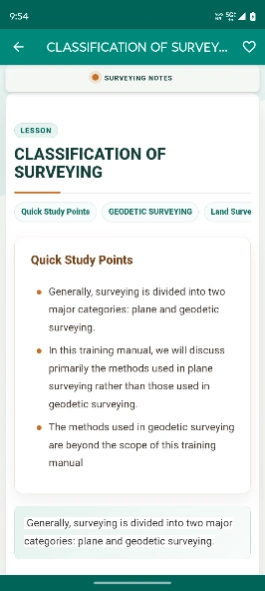


Surveying tools, formulas, MCQs, leveling & offline study.
Surveying is a complete learning and reference app designed for surveying students, civil engineering students, diploma students, construction learners, land surveying learners, field survey trainees, and engineering exam preparation.
This app helps you learn important surveying concepts in a simple and organized way. Study detailed explanations, practice MCQs, revise formulas, explore dictionary terms, use practical surveying tools, and learn offline anytime.
Whether you are studying chain surveying, distance measurement, bearings, compass surveying, theodolite surveying, levelling, contouring, traversing, control networks, positioning, setting out, field measurements, or modern surveying applications, this app gives you useful study content in one place.
Key Features:
✅ 6 Surveying Subjects
• Surveying Fundamentals and Field Basics
• Chain Surveying, Distance Measurement and Corrections
• Compass, Bearings, Angles and Theodolite Surveying
• Levelling, Vertical Control and Contouring
• Traversing, Control Networks, Positioning and Setting Out
• Professional Surveying, Modern Surveying, Property and Career Applications
✅ 24 Free Surveying Tools
Use practical calculators and converters for field surveying, distance measurement, levelling, traverse adjustment, bearings, coordinates, curves, areas, and setting-out calculations.
Free tools include:
• Chainage & Offset Calculator
• Bearing & Distance to Coordinates Converter
• Lat/Long to UTM Converter
• Azimuth to Bearing Converter
• Slope Correction Calculator
• Elevation Difference Calculator
• Compass Rule Adjustment
• Rise & Fall Method Calculator
• Height of Instrument Method Calculator
• Reduced Level Calculator
• Curvature & Refraction Correction Tool
• Earth Curvature Correction Tool
• Differential Leveling Calculator
• Horizontal Curve Calculator
• Vertical Curve Calculator
• Intersection Method Calculator
• Triangulation Distance Calculator
• Theodolite Angle Reduction Tool
• Stadia Tacheometry Calculator
• Traverse Adjustment Calculator
• Closed Traverse Area Calculator
• Polygon Area Calculator
• Lot/Parcel Subdivision Calculator
• CoGo Tool – Forward & Inverse Computations
✅ MCQ Practice Sets
Practice surveying multiple-choice questions and improve your exam preparation. The free version includes 15 MCQ sets for quick revision and self-testing.
✅ Formulas Section
Quickly revise important formulas related to chain surveying, distance correction, bearings, angles, levelling, reduced level, rise and fall method, height of instrument method, curvature correction, refraction correction, traversing, tacheometry, coordinates, area calculation, and curve setting.
✅ Dictionary Section
✅ Question & Answer Section
✅ How-To Section
✅ Updates Section
✅ Offline Access
✅ Bookmark & Search
✅ Light & Dark Mode
Best For:
• Surveying Students
• Civil Engineering Students
• Diploma & Polytechnic Students
• Land Surveying Learners
• Construction Field Trainees
• Site Engineering Learners
• Chain Surveying Learners
• Levelling and Contouring Learners
• Compass and Theodolite Surveying Learners
• Engineering Exam Preparation
• Viva and Interview Preparation
• Field Surveying Reference
Why Download Surveying?
Surveying is useful for students and learners who want a simple offline study companion for surveying and field measurement topics. It combines detailed explanations, MCQs, formulas, dictionary, Q&A, how-to learning, bookmarks, search, and practical surveying tools in one app.
The app is especially helpful for understanding chainage, offsets, bearings, azimuths, coordinate conversion, slope correction, reduced levels, traverse adjustment, curve calculations, polygon area, tacheometry, triangulation, and setting-out basics.
Download Surveying today and start learning surveying fundamentals, levelling, traversing, bearings, theodolite surveying, formulas, MCQs, and practical field surveying tools.
About Surveying
The company that develops Surveying is Softecks. The latest version released by its developer is 3.1.
To install Surveying on your Android device, just click the green Continue To App button above to start the installation process. The app is listed on our website since 2026-10-01 and was downloaded 4 times. We have already checked if the download link is safe, however for your own protection we recommend that you scan the downloaded app with your antivirus. Your antivirus may detect the Surveying as malware as malware if the download link to in.softecks.surveying is broken.
How to install Surveying on your Android device:
- Click on the Continue To App button on our website. This will redirect you to Google Play.
- Once the Surveying is shown in the Google Play listing of your Android device, you can start its download and installation. Tap on the Install button located below the search bar and to the right of the app icon.
- A pop-up window with the permissions required by Surveying will be shown. Click on Accept to continue the process.
- Surveying will be downloaded onto your device, displaying a progress. Once the download completes, the installation will start and you'll get a notification after the installation is finished.
Program Details
System requirements
Download information
Pricing
Version History
version 3.1
posted on 2026-10-01
Improved App Performance
version 3.0
posted on 2026-06-24
✅ Improved layout and design
✅ Made subject categories offline compatible
✅ Added 24 free surveying tools
✅ Added Dictionary, Formulas, MCQs, How-to, Updates and Q&A sections
✅ Added Light/Dark theme switch
✅ Enhanced offline support
✅ Improved search, bookmarks, performance and user experience
version 2.1
posted on 2025-11-01
App Performance Improvements
version 2.0
posted on 2021-07-27
* 2.0
A major Update containing various new features,
1. App contents are updated frequently
2. User comment option added
3. Notifications are now saved on the app
4. Users can now share & save every topic
5. Dark theme added
6. Multi Language Options Added
7. Featured Post section Added
8. Enhanced Search feature
9. Topics are categorized accordingly
10. Text size can be adjusted
11. Related Posts section added
